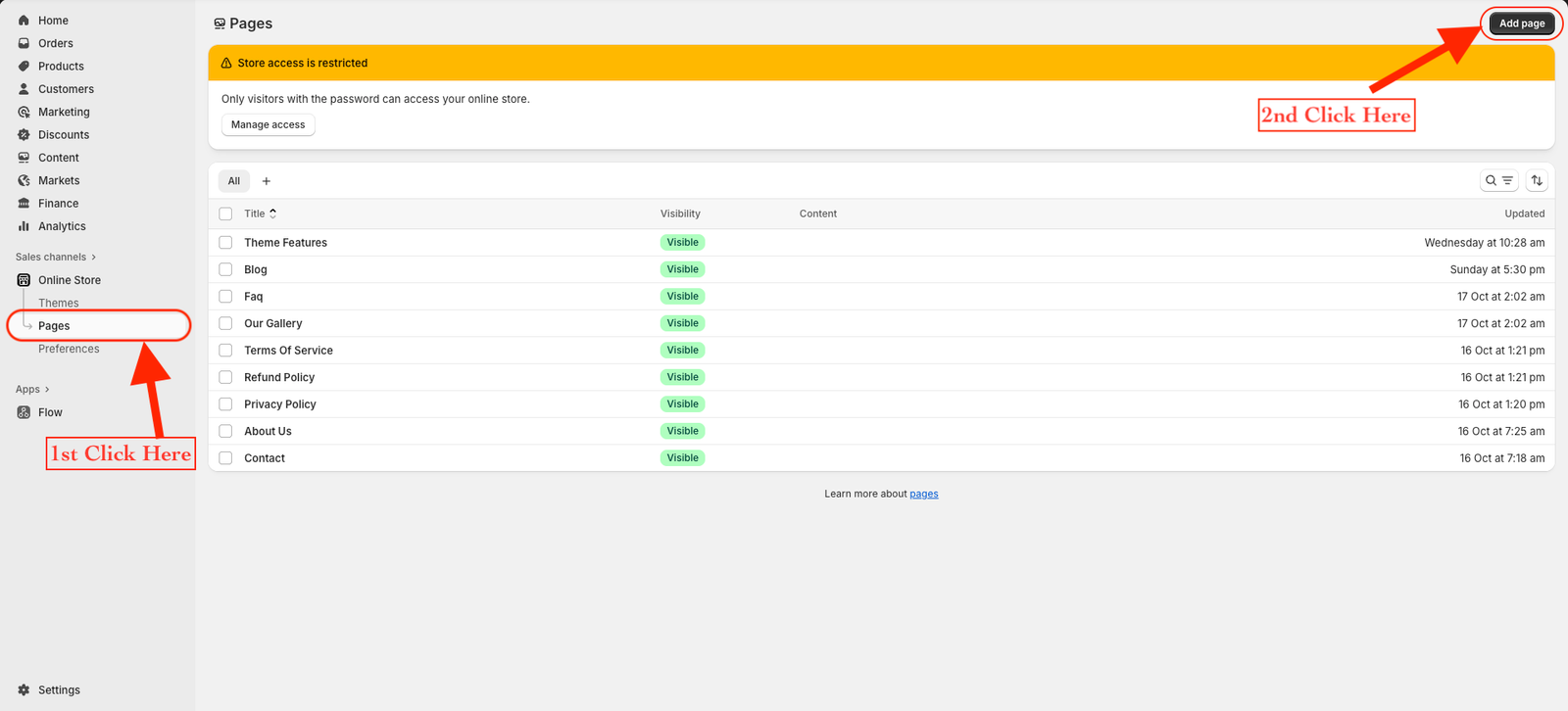
From your Shopify dashboard, go to Online Store → Pages.
Click the Add page button on the top-right corner.
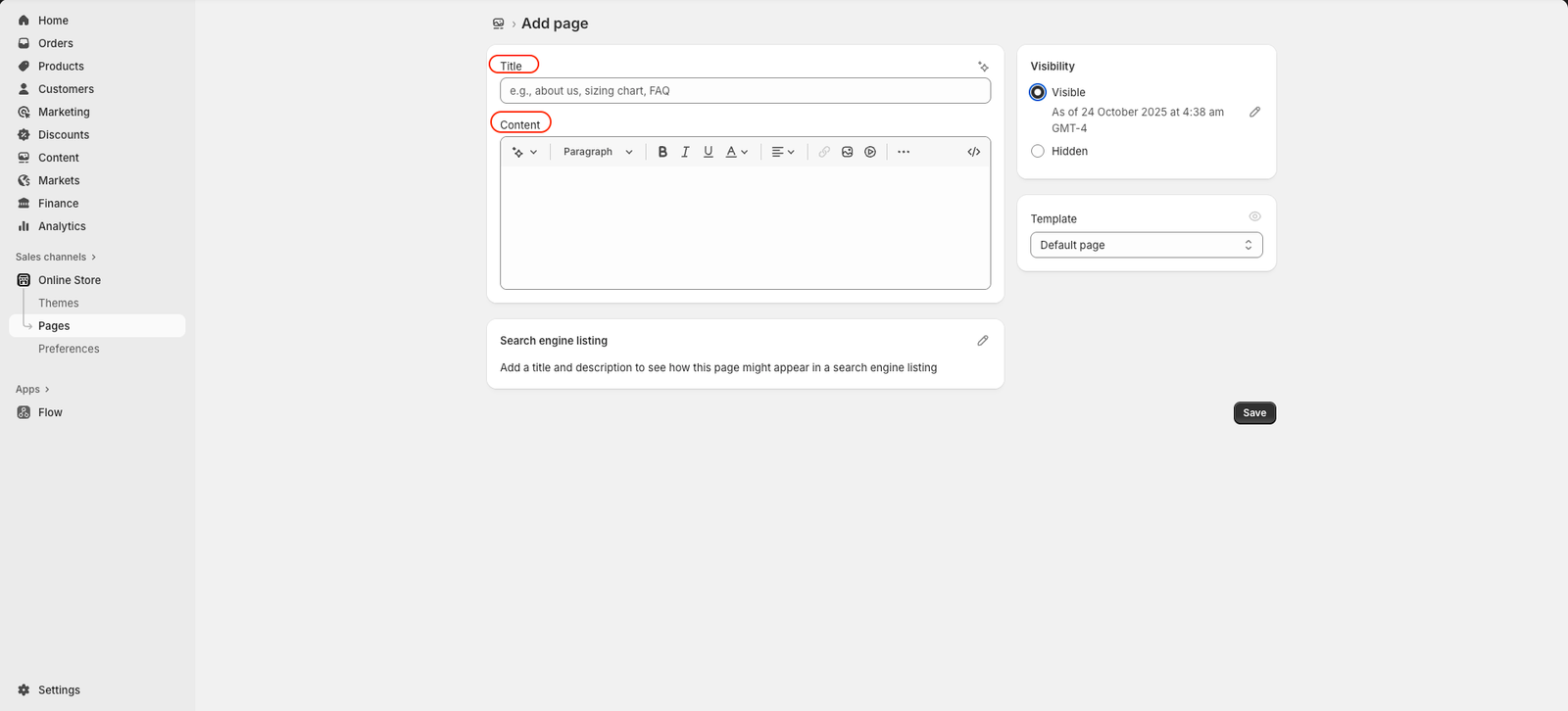
Enter your page title — for example, About Us, Contact, or FAQ.
Be descriptive and clear when choosing your page title. It appears in the browser tab and in search engine results, so make sure it accurately represents your content.
In the Content section, add your text, images, or any other information you want to display on the page.
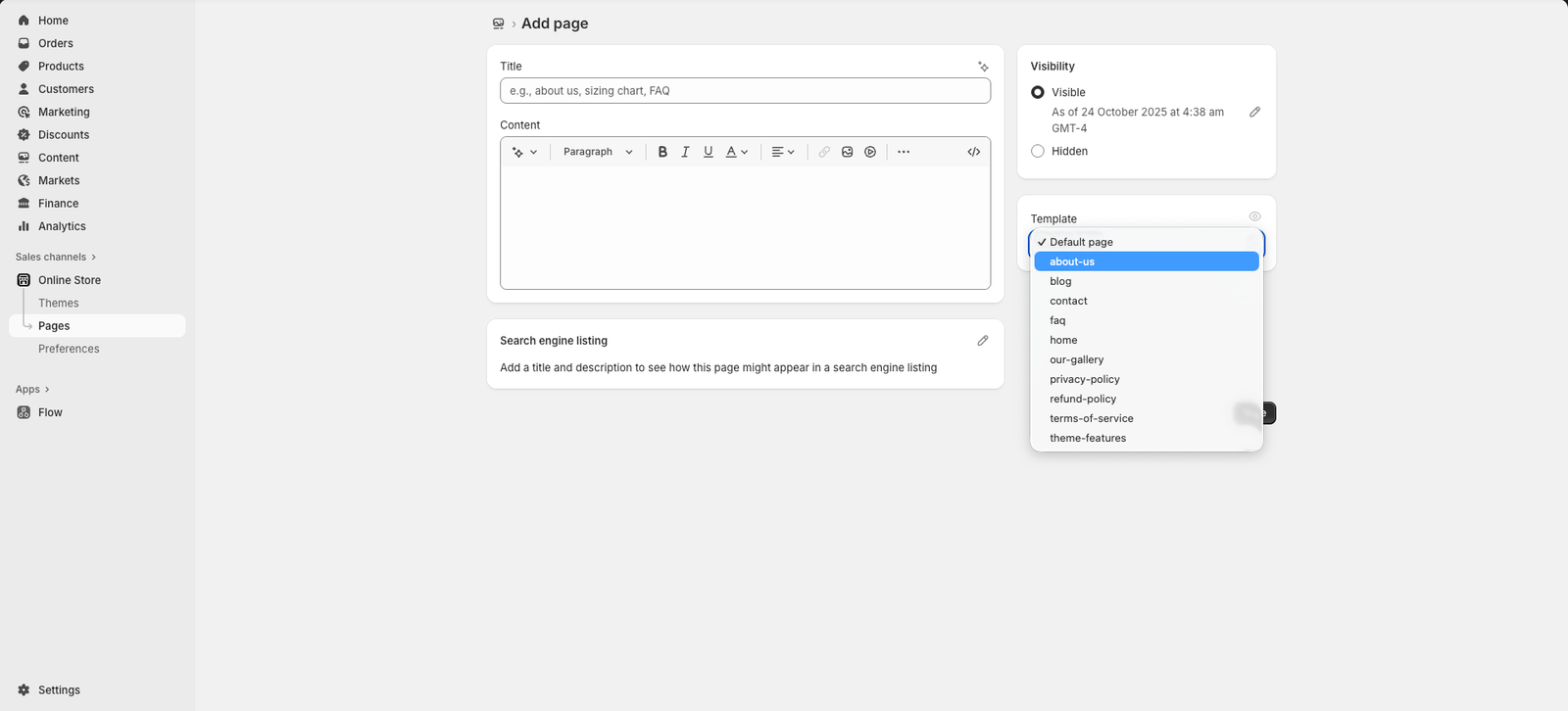
Next, choose a theme template to be used — also known as the page template.
This determines the layout and design style applied to your page.
On the right side, under Visibility, choose whether to show or hide the page.
Click Save once you’re done.