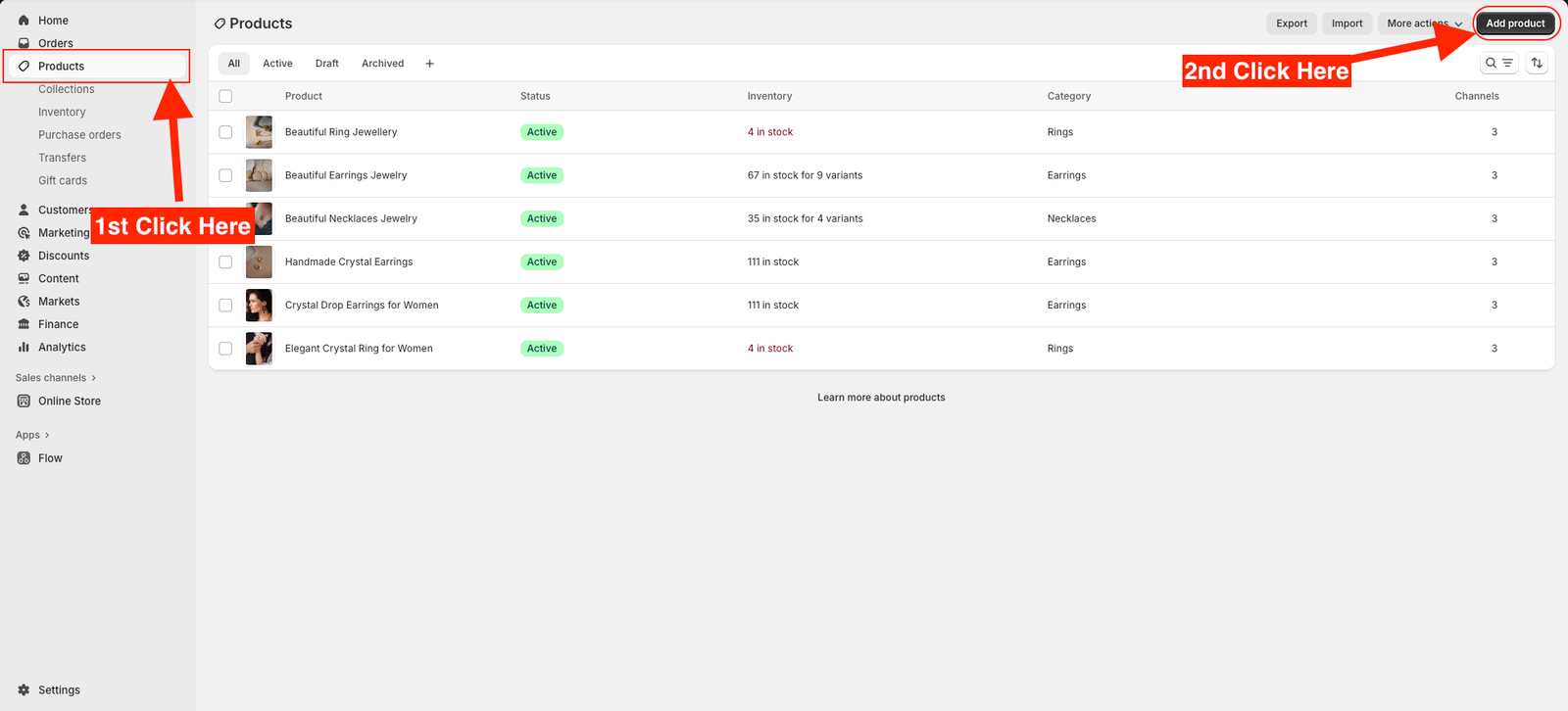
From your Shopify dashboard, go to Products
Click the Add product button on the top-right corner.
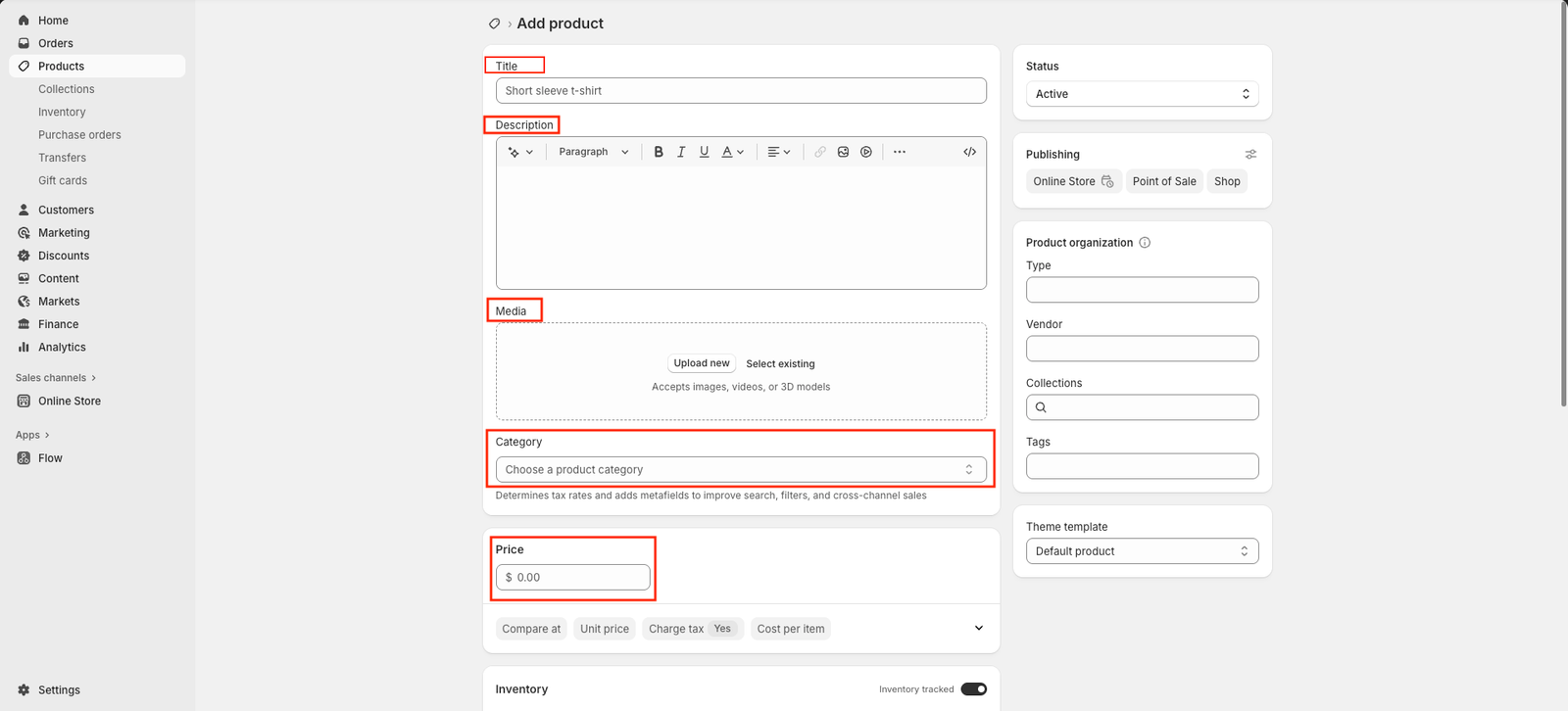
Enter your product title — make it clear and descriptive.
In the Description box, add details about your product such as features, materials, or usage instructions.
Upload product images by clicking Add media. Use high-quality photos that best represent your product.
Under the Pricing section, enter your Price, Compare-at price (if applicable), and Cost per item.
In the Inventory section, add your SKU (Stock Keeping Unit) and update the Quantity available.
Scroll down to the Shipping section and enter product weight and shipping details if required.
Under Product organization, select your Product type, Vendor, and add Tags to help categorize your products.
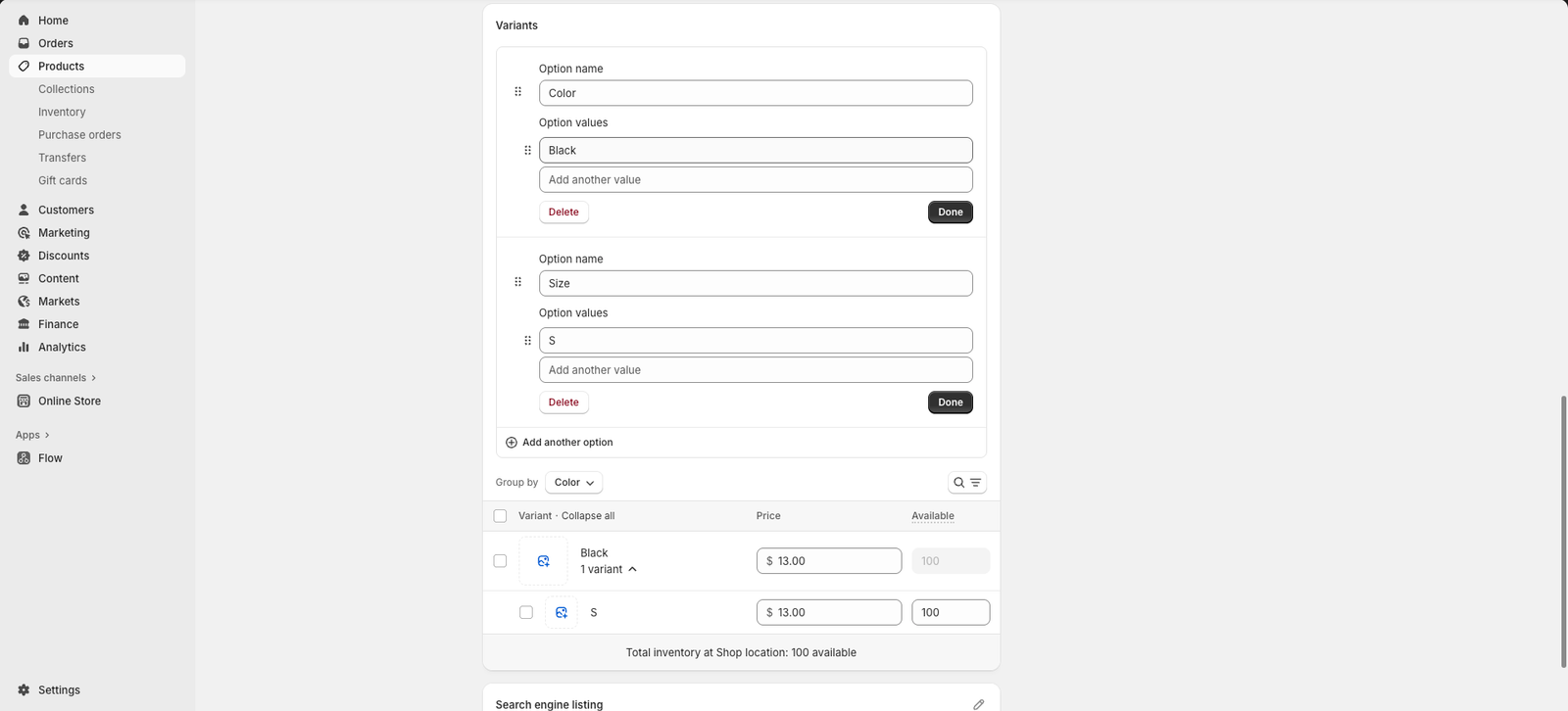
Scroll down to the Variants section and click Add options like size or color.
Under Option name, enter the category of your variant — for example, Size or Color.
In Option values, enter each variation separated by a comma — for example, Small, Medium, Large or Red, Blue, Black.
Shopify will automatically create a list of product variants for each combination.
For each variant, you can:
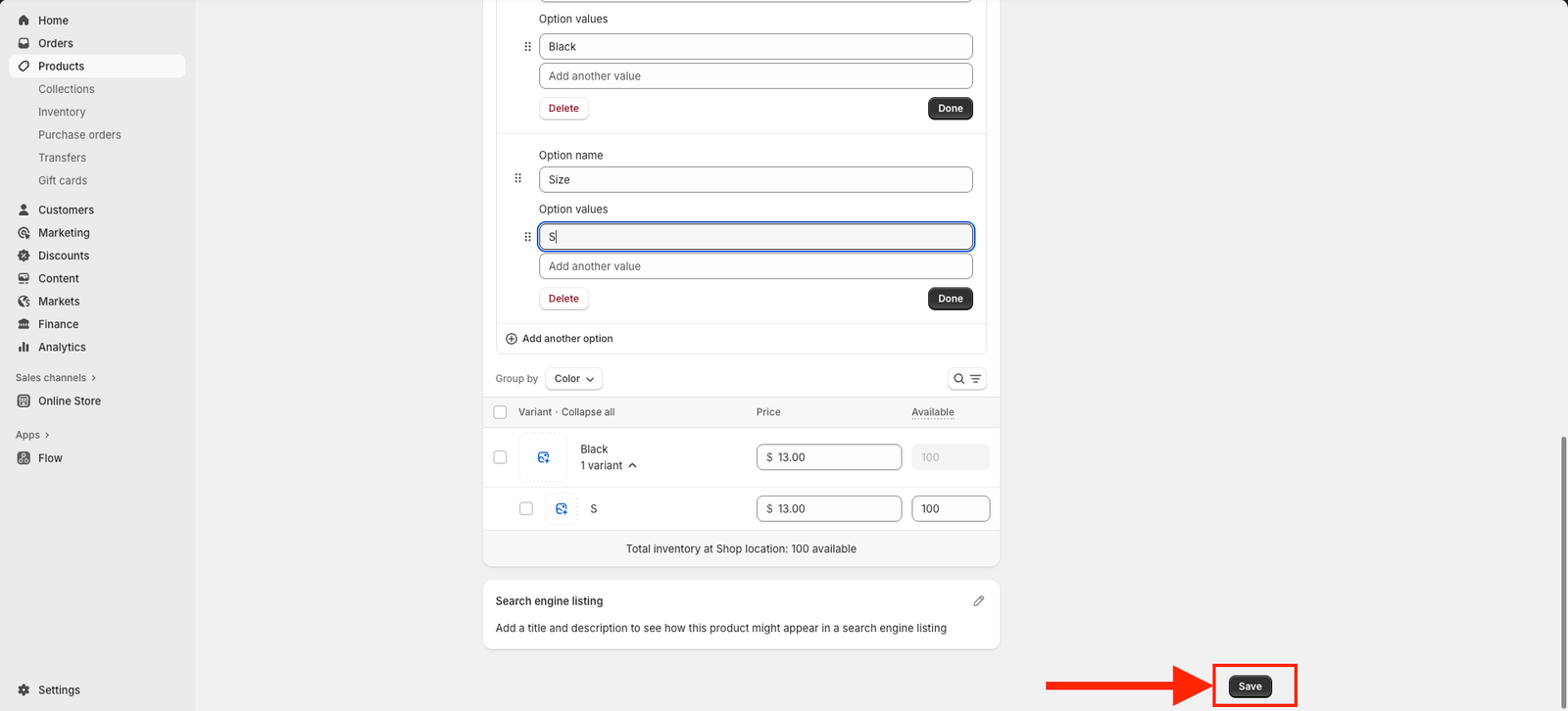
Once done, review all your details carefully, then click Save — either at the bottom or the top-right corner of the page.