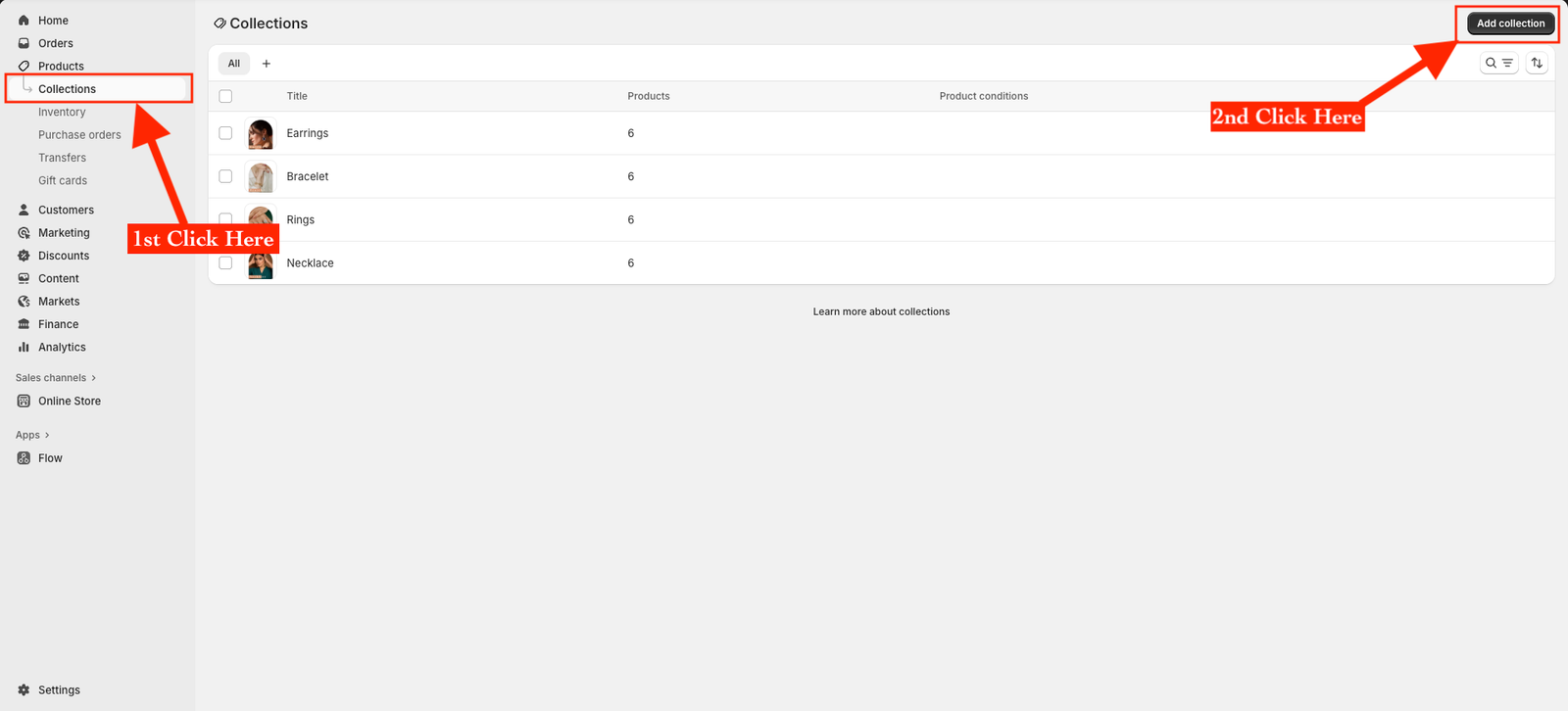
Collections help you organize your products into groups — like New Arrivals, Best Sellers, Necklaces, or Rings — making it easier for customers to browse and shop.
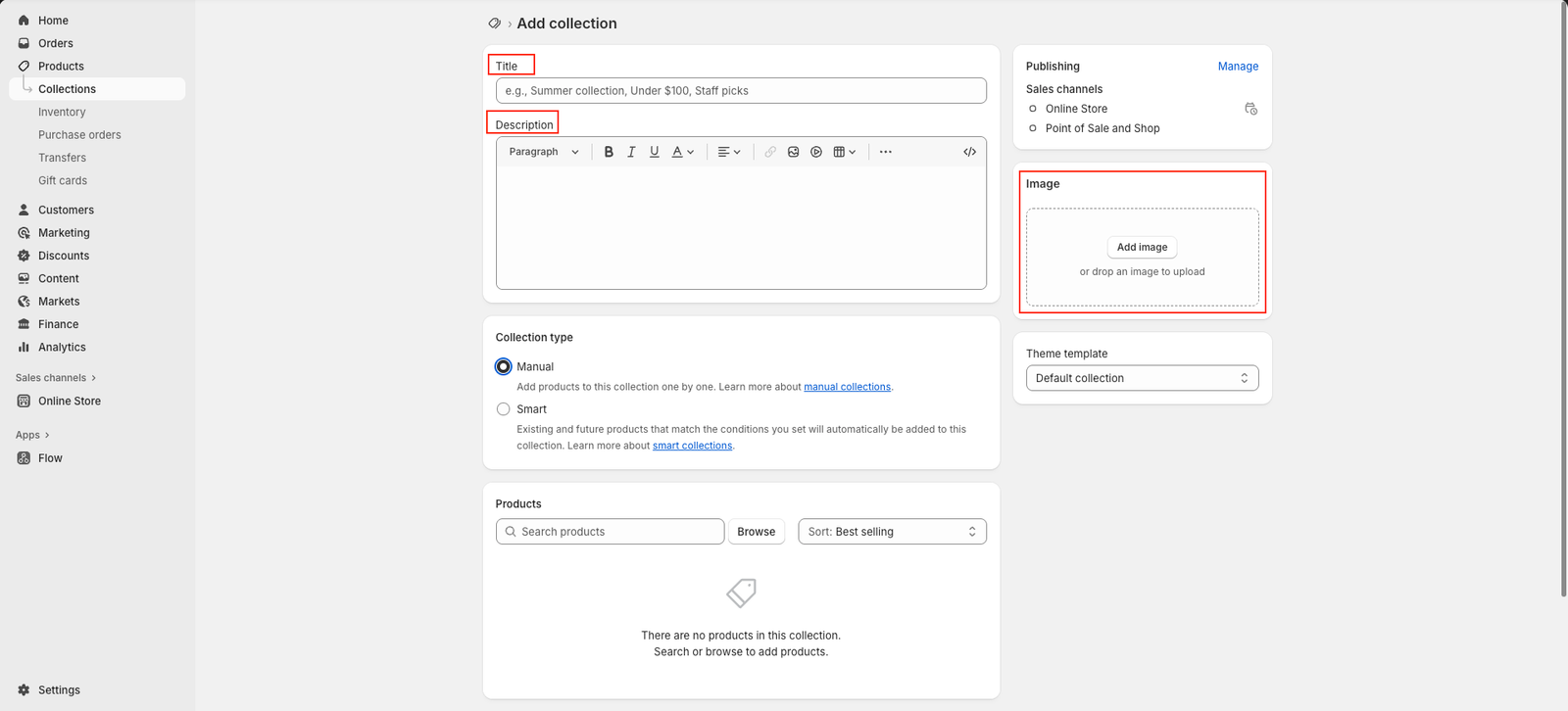
Enter your collection title — for example, Summer Collection or Handmade Jewelry.
Add a description to tell customers more about what’s included in this collection.
Under Collection type, choose one of the following:
Upload a collection image that visually represents your group of products.
On the right-hand side, under Search engine listing preview, you can edit the SEO title and description for better visibility in search results.
Once done, review everything and click Save — either at the bottom or top-right corner.